AionUi made a smart architectural decision: it wraps the CLI AI agents you use instead of reinventing them. Claude Code, OpenCode, Gemini CLI, Goose — it auto-detects what’s installed and gives you a unified GUI while leaving the agent logic alone. That respect for the ecosystem is why it’s now the interface layer of my local-AI stack.
This is Part 5 of 6 in the Building a Private Local-AI Stack series.
- The Use Case
- LightRAG as a Personal Knowledge Base
- OpenRouter and the Case for Safe Models
- Right-Sizing a Local LLM with llmfit
- AionUi: A GUI for Your CLI AI Agents (this post)
- Basic Memory: An AI Memory in My Obsidian Vault
What AionUi Actually Is
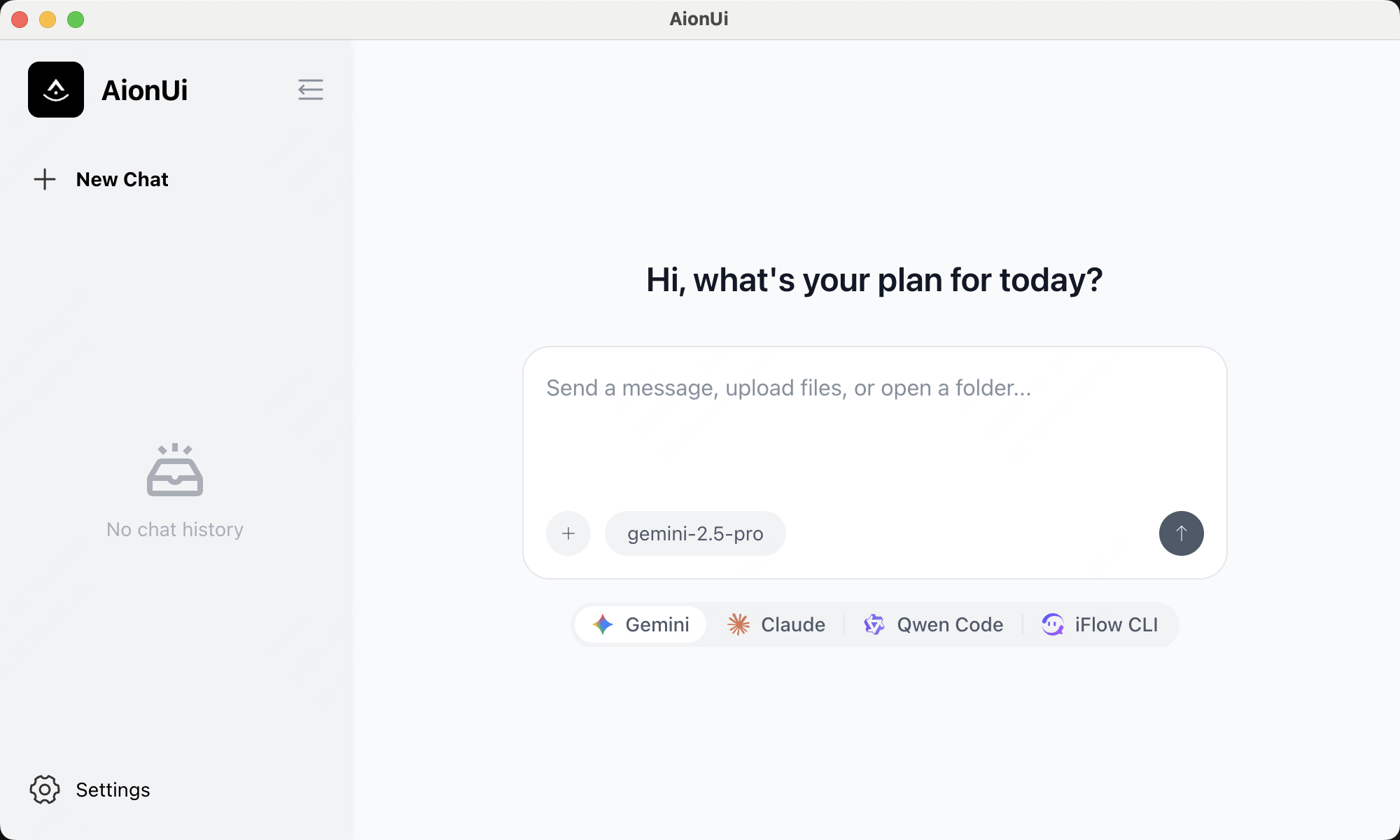
 AionUi’s welcome screen — auto-detects installed CLI agents and orchestrates them through one GUI. Source: AionUi project
AionUi is an open-source Electron app that auto-detects CLI AI agents on your machine and drives them through a unified interface. It supports Claude Code, Codex, Gemini CLI, OpenCode, Goose, and twenty-odd others. It also ships its own built-in agent, but that’s not the point. The point is federation: you already have CLI agents you trust, and AionUi orchestrates them instead of asking you to throw them away.
The GUI gives you what you’d expect: conversation pane, file management, diff viewer, and MCP (Model Context Protocol) server support so you can extend agents with your own tools. But the architectural bet underneath is the interesting part: AionUi treats CLI agents as first-class components — wraps them, doesn’t rebuild their logic.
Most tools in this space either ignore the CLI agent ecosystem or try to reimplement the agent from scratch. AionUi detects what you’ve installed, lets you pick one, and drives it. You get the maturity of an established CLI with the convenience of a GUI.
Why Wrapping Beats Reinventing
The CLI agents are good — battle-tested, rich ecosystems. Reinventing that for a GUI is waste. You end up with version 0.1 of something that exists at 3.0 elsewhere.
AionUi’s bet is the value is in orchestration, not owning the agent. A GUI that teams up multiple agents adds capability you can’t get from any single CLI. File management, diff previews, persistent chat history are what a GUI does better. Multi-agent coordination is new ground. And by not owning the agent, AionUi inherits every improvement those CLI projects ship.
MCP Servers and the Node ABI Gotcha
AionUi supports importing MCP servers — the same Model Context Protocol servers I use with my CLI agents. I imported basic-memory, brave-search, context7, telegram, google-tasks, and others. Once imported, the GUI agents have access to the same tools.
The gotcha: AionUi ships its own bundled Node runtime (24.11.0), and if an MCP server is a native Node module — compiled C++ bindings — built against your system Node, it crashes on load because ABI versions don’t match. The fix: point native-module MCP server launcher scripts at your system node binary instead of letting them find node on PATH (which resolves to AionUi’s bundled version). Not an AionUi bug — just the reality of bundling a runtime.
Telegram: The Standout Feature
The Telegram integration is what made AionUi unexpectedly useful. I imported a telegram MCP server, connected to a Telegram bot, and the entire stack became drivable from my phone — from anywhere. I send a message to the bot, it routes through AionUi to whichever agent I’ve configured. That agent runs locally with access to LightRAG, my documents, my MCP servers. The reply comes back through Telegram.
The local-AI stack went from desk-bound to reachable 24/7. I can triage email, query my knowledge base, kick off a batch job from a train platform. The agent still runs on my hardware, still respects the sensitivity boundary — it’s just reachable without me being at the machine.
The Honest Gripes
AionUi is a great idea with rough edges — two bit me and will bite you.
No official Fedora package. AionUi ships binaries for major platforms, but Fedora (my daily driver) isn’t one of them. The project has an AppImage, which runs anywhere, but AppImages are second-class citizens on Fedora: no system integration, no proper desktop file registration unless you jump through hoops, and they don’t play nicely with distro updates. I wanted a real RPM.
So I built one. I forked the repo, created a feat/fedora-rpm-build branch, and added a bun run build-rpm target that produces a proper installable RPM artifact. It works — I’m running it now — but this was DIY. Linux packaging for AionUi is not polished yet. If you’re on anything other than Ubuntu or a Debian derivative, expect to either live with the AppImage or roll your own package. Not a dealbreaker, but not smooth.
Memory and disk footprint. AionUi is Electron — bundling Chromium, Node, the agent engine, extensions. The Linux build is ~330 MB compressed, larger unpacked. It’s not light on RAM either — expect a few hundred MB for the GUI process before an agent session.
This is the Electron tax. For a desktop tool you leave running, acceptable — but not light. Frame this as “the trade-off for not maintaining separate native builds on five platforms.”
Where It Fits
AionUi is the interface layer of my private local-AI stack — sitting on top of LightRAG, OpenRouter, the local LLM, the sensitivity boundary — and giving me a unified place to drive the agents that orchestrate it all.
I recommend it if you live in CLI AI agents and want a GUI plus remote access without giving up your tools. If you’re starting from scratch, AionUi’s value is less obvious. But if you run OpenCode or Claude Code daily, have MCP servers you’ve written, and you want to drive it all from a GUI or your phone, AionUi delivers that without asking you to rewrite your stack.
It’s not perfect — Linux packaging is frustrating, Electron footprint is real. But the core idea (wrap, don’t reinvent) is sound, and the Telegram integration alone justifies its place. Leaving my desk, sending a message to a bot, and having my own agents on my own hardware answer from anywhere is the accessibility automation should unlock.
That’s the full stack: a knowledge base that remembers, safe cloud models for non-sensitive work, a right-sized local model for private work, and a GUI that wraps the agents — without forcing me to abandon the ecosystem I’ve invested in.
Any opinions in this article are my own. AionUi is open-source (https://github.com/iOfficeAI/AionUi) and actively developed.