Every AI assistant I’ve used forgets everything the moment a conversation ends. And the second I feed it my actual documents to make it useful, I’ve handed my private life to someone else’s servers.
This is Part 1 of 6 in the Building a Private Local-AI Stack series.
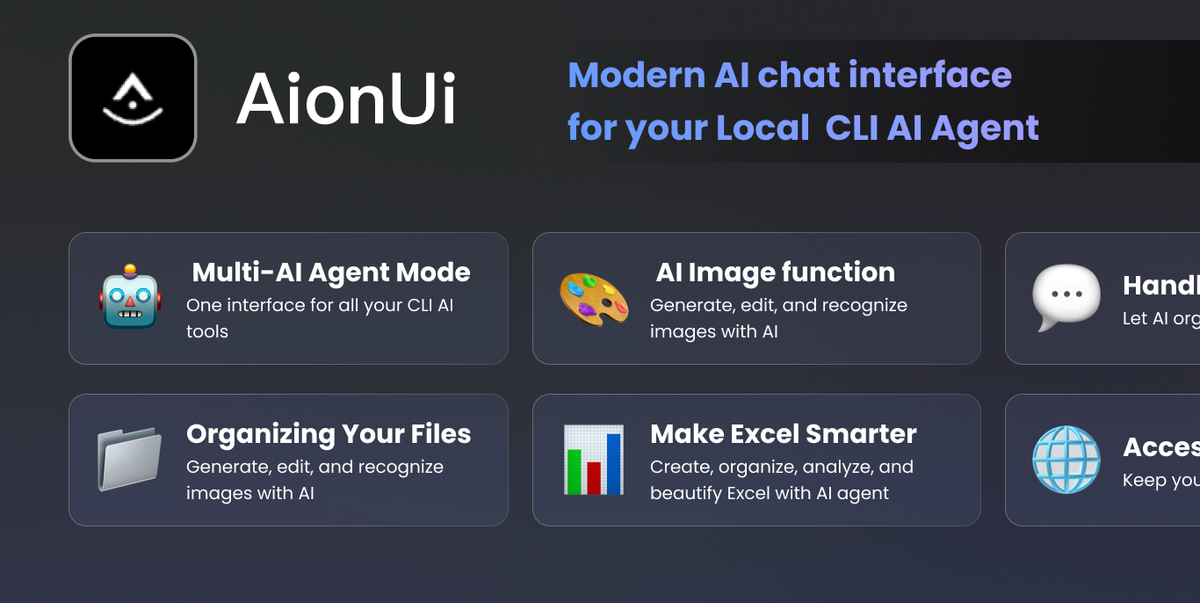
 The local-AI tooling landscape keeps maturing — self-hostable assistants and RAG stacks are now practical on a single workstation. Image source: medevel.com.
Two Problems, No Solution
The amnesia is obvious. You spend twenty minutes explaining a project to a chatbot, get good answers, and tomorrow it’s a stranger again. Every session starts from zero. That’s not an assistant — it’s a very articulate goldfish.
The privacy problem is worse. To make an assistant genuinely useful, I have to give it context: my email, my notes, my contracts, my invoices. The messy archive of a life. But the moment those files go into a cloud model, I’ve made a bet I can’t unwind. I don’t know how the data is retained, whether it trains a future model, or who sees it under subpoena.
For a generic coding question, I don’t care. For a document with my bank details or a family member’s medical note, I care enormously.
So the useful version of AI and the private version felt mutually exclusive. You either get a powerful assistant that knows nothing about you, or one that knows everything and leaks.
I didn’t accept that trade-off.
What I Actually Need
What I want is unglamorous. I want to point AI agents at all my documents — years of notes, mail, project files — and have them do real work.
Not “chat about my files.” Work.
Email triage. My inbox is a firehose. I want an agent that reads new mail, classifies it, drafts replies to the routine stuff, and flags the three things that actually need me. I run himalaya — a command-line email client an agent can drive without a browser — for exactly this.
Recall. “What did I decide about X in March?” should return an answer grounded in my own notes, not a hallucination. The assistant should have a memory that outlives the conversation.
Drafting. Proposals, follow-ups, summaries — produced with the context of everything I’ve already written, in my own voice, not from a blank page.
The unlock for all of this is retrieval: a searchable semantic index over my personal corpus that an agent can query mid-task. That index is the difference between a goldfish and a colleague.
But it drags the privacy problem straight back. If the index and the model both live in the cloud, I’ve just uploaded my entire life.
So the architecture has to answer one question first: where does each document get processed?
The Spine: Route by Sensitivity
Here’s the decision everything else hangs off:
Route AI workloads by data sensitivity.
Non-PII documents — public research, code, generic notes — go to cloud “safe models” through OpenRouter. Fast, cheap, capable. I don’t care if a public arXiv summary passes through someone’s datacenter.
PII documents — anything personal, financial, or otherwise sensitive — go to a local model on my own hardware. Sixteen cores, about 20 GiB of usable RAM. Nothing sensitive leaves the machine. Ever.
That’s the boundary. Not a firewall rule or a fancy DLP product — an architectural commitment that shapes every component. The knowledge base has to know which shelf a document lives on. The agents have to know which engine to call. The local model has to be good enough to be worth running at all.
And that’s the hard part.
I’ll be honest: “sensitivity” is a judgement call, not a formula. When I’m unsure, the document is sensitive. Default is local. Cloud is the exception I make deliberately for data I’ve decided is safe to expose.
Getting that default right is more important than any single tool in the stack.
The Stack
Five pieces. Each does one thing. The rest of the series is the deep dives — here’s the map.
LightRAG is the knowledge base. A local semantic index over my documents, running on my machine, reachable by agents through MCP. This is the memory that beats amnesia: instead of re-explaining context every session, the agent queries the index.
It’s the most technical piece and the one I’ve fought with the most. Including a silent outage that taught me health checks lie. That’s Part 2.
OpenRouter is the cloud engine. One API in front of many models, with provider pinning so I get predictable routing instead of a mystery model of the week. This is the fast, capable half of the sensitivity boundary — the engine I point at data I’ve cleared as safe.
Why “safe models” and where exactly I draw the line is Part 3.
A local model is the PII engine. The private half. This runs on the 16-core / 20-GiB box and handles anything sensitive. I’m keeping the specific model generic on purpose — the right answer depends on your hardware, and choosing by guesswork is how people end up with a model that swaps to disk and takes a minute per reply.
llmfit is the tool that sizes the local model. This is how I stopped guessing. llmfit — an open-source Rust tool by Alex Jones — detects your actual hardware and scores every candidate model against it: memory fit, speed, quality, context. You pick the local PII model on evidence instead of vibes.
That’s Part 4.
opencode and AionUi are the agents. They call the models, query LightRAG for context, and run tools like himalaya to actually do things. The agents are where “route by sensitivity” becomes real — they decide which engine each task hits.
himalaya is the hands. A command-line email client that turns “triage my inbox” from a wish into a scripted workflow an agent can run end to end.
Put together: agents read context from LightRAG, route the work — safe data to OpenRouter, sensitive data to the local model — and act through tools like himalaya.
Useful and private, because the boundary is baked into the wiring.
One More Thing
None of this works if your secrets leak through the plumbing.
API keys and credentials live in pass, never in a config file that an agent might read back to you or commit. Privacy at the model layer is pointless if you paste a key into a public log.
I learned that one the hard way.
What’s Next
The rest of this series builds the stack one layer at a time. Part 2 is the knowledge base — the piece that gives the whole thing a memory. Part 3 is the cloud engine and the exact line I refuse to let personal data cross. Part 4 is how I size the local model so the private half is actually usable.
If you take one thing from this, take the principle, not the tool list. Every good choice downstream follows from it. Every bad one comes from skipping it.
Any opinions in this article are my own.